Choosing an ecommerce platform is less about finding a universal winner and more about choosing an operating model your team can run well. For a small or growing UK retailer, the useful comparison is between the costs you can predict, the control you need, the work your team can own and the capabilities you may genuinely use as sales grow.
A managed subscription platform and an open-source WordPress platform can both support an online store. Their costs and responsibilities are simply arranged differently. Compare platform charges, payment processing, hosting, extensions, staff workflows and future changes as one decision—not as separate checkboxes.
How to choose an ecommerce platform for your needs
Start with four questions: what do you sell, where do you sell, who will operate the store and what must change as you grow? A retailer with a simple catalogue and a small team may value a guided setup and centralised administration. A retailer with unusual product rules, established WordPress processes or a need to choose each component may put more weight on flexibility.
Do not compare only a headline price. Shopify’s UK pricing presents plan-based features and card-rate information, while WooCommerce describes a free core platform with separately chosen hosting, payment processing and extensions. Those are different cost structures, so the right comparison is your expected monthly and annual operating cost at your own sales volume.
Include ownership in the decision. Ask who can update products, resolve a checkout issue, add a sales channel, manage staff access and maintain integrations. The platform that looks cheaper or richer in features can still be a poor fit if those jobs have no clear owner.
Before committing, write down your non-negotiables, your credible next-stage requirements and the work you are prepared to take on. That turns a product comparison into a practical choice for your business.
Start with your retail model and growth plan
Build a requirements list from actual operations rather than from a generic feature list. Record the number and type of products, whether variants are complex, how stock is managed and whether customers need trade pricing, subscriptions, bookings or other specialised journeys. Note which parts are essential at launch and which can wait.
Then map your selling model. Will you sell only through your website, or also in person, through marketplaces, social channels or overseas? Consider fulfilment, returns, tax and regional needs alongside the checkout. If several people will work in the store, define the roles they need and what access each role should have.
Your growth plan should be specific enough to test. For example, you may expect a larger catalogue, a second location, more staff, a new region or a new payment method within the next 12 to 24 months. Treat those as scenarios to validate, not as reasons to buy every advanced capability now.
Finally, identify your technical capacity. Decide whether your team can maintain a WordPress-based stack, evaluate extensions and coordinate hosting support, or whether it needs a more integrated service model. This is not a judgement about sophistication; it is a decision about who will carry the ongoing operational work.
Where managed platforms can simplify operations
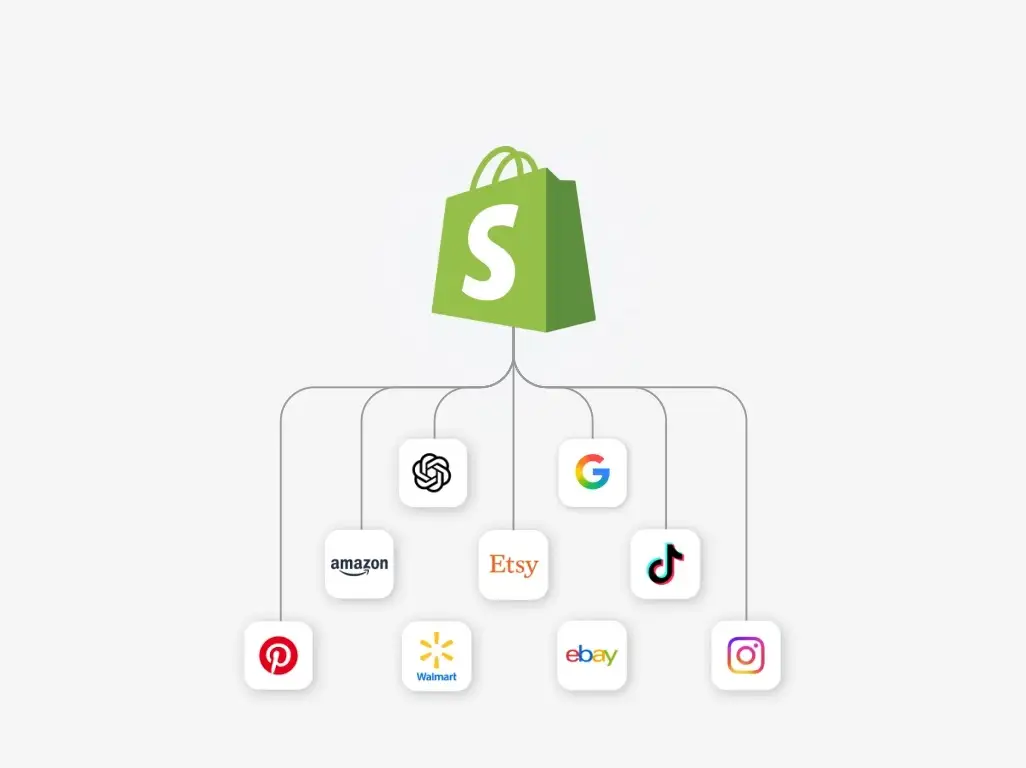 A managed platform can be practical when a team wants an integrated route to online and in-person selling, with plan features presented in one place. Shopify’s UK plan page describes online selling, in-person selling and multichannel selling, alongside plan-based staff-account allowances and other capabilities.
Its published UK progression illustrates why plan fit matters. Shopify lists up to five staff accounts on Grow and up to 15 on Advanced; Advanced also lists regional store tailoring and live third-party shipping rates. Shopify Plus lists unlimited staff accounts and a fully customisable checkout. These are examples of published plan differences, not a reason to select a higher plan before a business has the underlying requirement.
For a team that wants a faster operational starting point, the main advantage is clarity about what is included in its chosen plan and who supports the day-to-day store workflow. Use the trial or demonstration period to test product entry, order handling, refunds, customer service, staff permissions and the sales channels you actually intend to use.
The trade-off is that your operating choices are shaped by the provider’s plans, configuration boundaries and available integrations. Confirm that the plan you are considering supports your required payment, shipping, regional and checkout workflow before you build around it.
Where open-source platforms offer more control
 WooCommerce positions itself as a free, open-source ecommerce platform for WordPress. Its pricing information says the core platform has no monthly subscription, while merchants choose their hosting provider, payment processor and extensions. It also states that there is no platform revenue share.
That model can suit a retailer that wants to shape the stack around an existing WordPress site, preferred suppliers or specialised workflows. You can decide where to invest rather than move through a fixed set of platform tiers. For some businesses, that is valuable control over hosting, payments and additional functionality.
Control also creates responsibility. Someone needs to select and maintain the hosting environment, assess extensions, manage updates, protect the site and coordinate support when a problem crosses more than one provider. The relevant question is not whether the core software is free; it is whether your business has the time, skills or trusted support to operate the chosen components.
Ask a prospective developer or support partner to describe the maintenance model in plain language: who owns updates, where backups sit, how incidents are handled, how payment changes are tested and what happens if a key extension is no longer suitable. A clear answer is part of the platform decision.
Compare total costs rather than starting prices
Use a simple cost model for each shortlisted option. Include platform subscription or core-software cost, hosting, payment processing, paid extensions or apps, design and development, maintenance, support, migration, staff training and any point-of-sale or shipping services you need. Separate one-off implementation costs from recurring monthly and transaction-linked costs.
Shopify publishes UK plan pricing information and card rates that vary by plan. WooCommerce says its core is free, that merchants choose their provider and processor, and that added functionality can be selected separately. Neither starting point alone is your total cost of ownership.
Model at least three sales scenarios: launch, your expected trading level and a higher-volume case. For each one, estimate transaction-related costs as well as fixed charges. Add a contingency for changes that are likely in your first year, such as another staff member, a new sales channel, a stock integration or a revised shipping process.
Also compare cost predictability. A managed service may make more capabilities visible within a plan, while a component-based stack may let you select suppliers individually. The better model is the one whose likely costs, responsibilities and upgrade path your business can understand and sustain.
Check the trade-offs before you commit
A strong feature list is not enough. Test the operational constraints that could become expensive later: how checkout can be configured, which payments and integrations are available for your UK setup, how much depends on third parties and how a future migration would be handled.
For a managed platform, review plan boundaries carefully. Shopify’s published plans differ in areas including staff-account limits, regional configuration, shipping-rate functionality and checkout customisation. Confirm the capability you need is available on the plan you will actually operate, rather than relying on a higher-tier feature you do not plan to buy.
For an open-source stack, identify every dependency. WooCommerce’s model leaves hosting, processor and extensions to the merchant’s selection. That flexibility can be useful, but it means changes may involve several providers and a defined technical owner is essential.
In both cases, ask what happens when you add a new payment method, change fulfilment partner, expand to a new region or replace an agency. Check data export options, contract terms, support routes, security responsibilities and the time needed to test a change. A platform is unsuitable if its operating commitments exceed what your team can reliably manage.
Use a shortlist and launch-readiness checklist
Shortlist two or three options only after you have written your requirements and cost scenarios. Score each platform against the same priorities: essential sales channels, catalogue and inventory needs, payment availability, staff access, fulfilment, support model, technical ownership, first-year cost and credible growth requirements.
Next, validate real workflows. Build a small representative catalogue, create a test order, process a refund, check the customer emails, assess fulfilment hand-off and try the staff tasks that will occur every week. If you sell in person or across regions, test those workflows too. Record what required configuration, an additional service or custom development.
Before signing up or starting development, verify current UK pricing, payment availability, integration terms and contractual conditions directly with each provider. Provider plans, rates and features can change, so use the published information as a current check rather than a permanent assumption.
Make one person accountable for the launch decision and one person accountable for ongoing platform ownership. Keep a short implementation plan covering data, design, payments, domain and email settings, operational testing, staff training, support contacts and a fallback plan for launch-day issues.
{{primary_cta}}
Frequently Asked Questions
Is Shopify or WooCommerce better for a small UK retailer?
Neither is automatically better. Shopify’s UK page presents a managed, plan-based offering with capabilities that vary by tier, while WooCommerce presents a free WordPress core with merchant-chosen hosting, payments and extensions. Choose according to the workflows you need, the cost model you can support and the technical responsibility your team is ready to own.
What ecommerce costs should I budget for besides the platform price?
Budget for payment processing, hosting where applicable, apps or extensions, design and development, maintenance, support, migration, training and any services required for shipping or in-person sales. Shopify publishes plan and card-rate information; WooCommerce separates a free core from chosen components. Build scenarios at your expected sales volume instead of relying on the initial price.
Can I change ecommerce platforms later as my store grows?
Usually, but migration is a project rather than a switch. You may need to move product, customer and order data, rebuild design and integrations, configure payments and shipping, redirect URLs, test checkout and train staff. Review export options, data ownership, dependencies and likely migration effort before your first choice, so a future change remains manageable.
Sources
Related reading
- Best E-commerce Tools: evidence-led top choices
- Shopify vs WooCommerce: which is the better fit
- Shopify review: strengths, limits, and alternatives
- WooCommerce review: who it suits and who should skip it
Editorial information: About our editorial team · Read our editorial policy · Read our affiliate disclosure.