WooCommerce can be a strong fit for a UK business that wants to build its store around WordPress and retain control over the services behind it. Its appeal is not that it removes every decision: it is that it lets you make the important ones, from hosting and payments to the extensions you add.
That flexibility is valuable for some teams and unnecessary work for others. This guide focuses on the practical question: whether your team wants a configurable store platform and is ready to own the choices that come with it.
WooCommerce at a glance
WooCommerce is a free, open-source ecommerce platform for WordPress. It is designed to help merchants build, customise and expand an online store within the WordPress environment.
The better question is not whether WooCommerce is universally “best”. It is whether its model matches how you want to run a store. Teams that already use WordPress, or want a WordPress-led website and shop, may value having the store closely connected to their wider site. The platform’s documentation covers the path from installation and configuration through products, orders and ongoing administration.
Your decision should therefore centre on four areas: how much control you want over spending, how much operational ownership your team can take on, how comfortable you are making technical and vendor choices, and whether a WordPress-based setup fits your wider web presence. If you are still comparing approaches, our guide to WordPress ecommerce platforms provides useful context.
Where WooCommerce gives merchants more control
WooCommerce’s core platform is free to download and use. WooCommerce says there is no monthly core-platform subscription and no revenue share charged by the platform. Instead of buying one fixed bundle, merchants choose the components around the core store.
In practice, that means you can select a hosting provider, choose a payment processor, and add extensions as needed. Payment processing still carries the fees charged by the processor you select, while hosting and optional extensions remain separate budgeting decisions. That structure can be useful when you want to direct spend towards the parts of your operation that matter most, rather than paying for a preset tier of features.
For example, a business with a preferred host may want to keep that relationship. Another may need a particular payment approach, reporting workflow or store enhancement and may decide to add an extension for it. WooCommerce’s model gives these teams room to assemble a setup around their requirements.
Control is not the same as guaranteed savings. A lean store may have modest requirements, while a more complex operation may choose paid services or extensions that increase its total cost. The useful benefit is visibility and choice: you can review each component and decide whether it earns its place in the budget.
Before committing, map the likely costs of your hosting, payment processing and any required add-ons. Our UK ecommerce hosting cost guide and UK payment gateway comparison can help structure that comparison.
Where WooCommerce may create more work
The same modular setup that gives WooCommerce flexibility also requires decisions. Your team needs to choose and maintain hosting, determine an appropriate payment processor, and decide which extensions are necessary for the way you sell and operate.
That does not automatically make WooCommerce unsuitable. It does mean the platform works best when ownership is clear. Someone needs to keep the store configuration aligned with the business, review the extensions in use, and make informed choices as requirements change. A store that begins with a simple product range may later need different shipping rules, additional reporting or a new payment option.
The resulting workload and total cost depend on the setup you choose. A business should avoid assuming that a free core platform means a cost-free launch, or that every available feature is necessary from day one. Start with the operational requirements that are essential, then assess the services and extensions needed to support them.
UK businesses should separately validate their own requirements for payments, hosting, taxes and compliance before launch. Availability and suitability can vary by provider and circumstance. Use an ecommerce platform maintenance checklist to assign responsibilities before the store goes live.
What your team needs to plan for
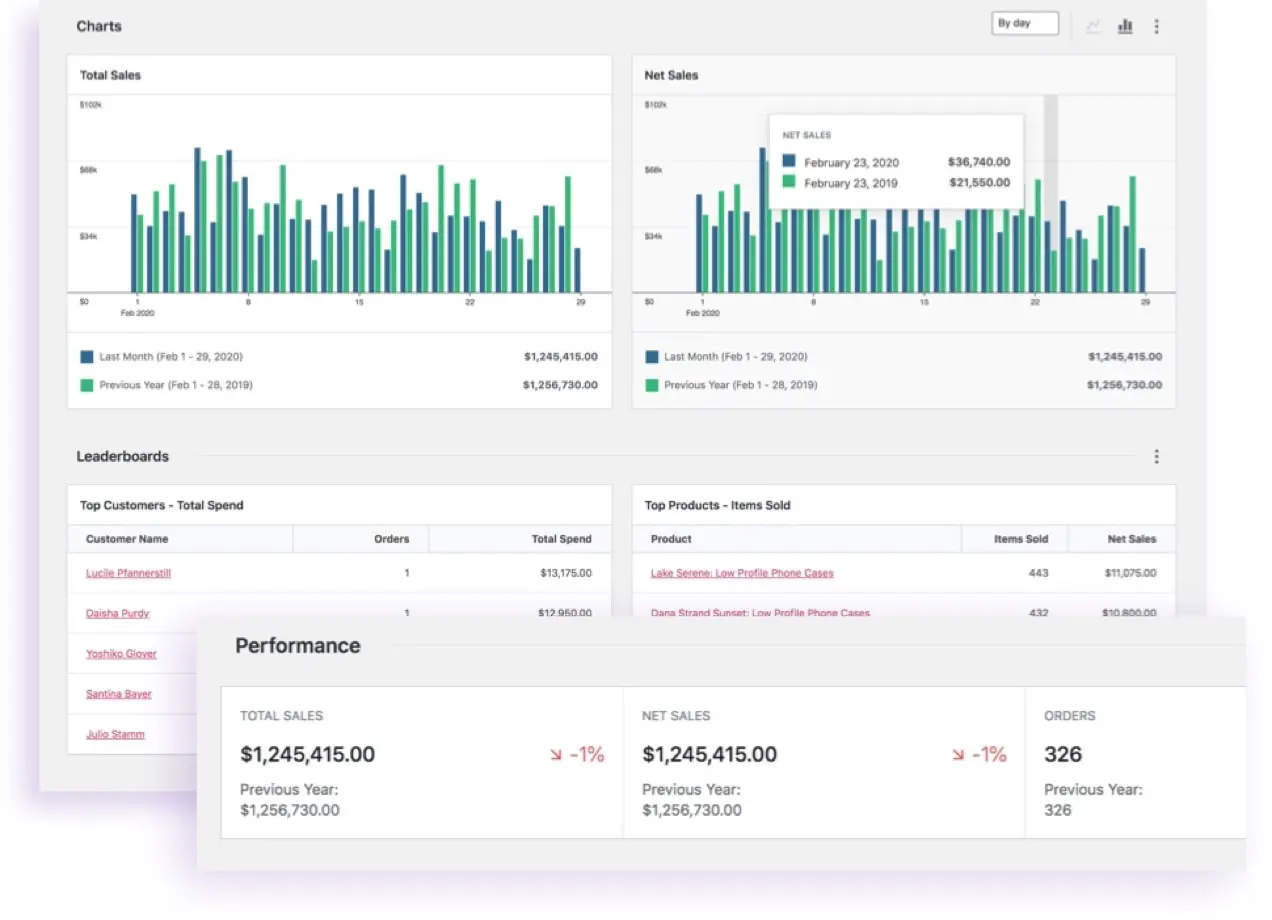 WooCommerce’s getting-started documentation shows the range of work involved in setting up and running a store. It covers installation and configuration, alongside products, taxes, shipping, payments, orders, data and reporting, customers, marketing, site administration and store design.
Treat that list as a launch-planning checklist rather than a set of boxes to tick without discussion:
- Products: decide how your catalogue will be organised and who owns product information.
- Taxes and shipping: identify the rules and delivery arrangements your business needs, then confirm they are configured correctly for your circumstances.
- Payments: choose a payment gateway or processor that meets your needs; WooCommerce documents a range of gateway options, but availability can depend on location and provider.
- Orders and customers: establish how your team will handle order fulfilment, customer queries and account information.
- Reporting and marketing: agree what information the business needs to monitor and how marketing activity connects to the store.
- Administration and design: allocate responsibility for store settings, updates and the customer-facing experience.
Planning these areas early helps distinguish a platform decision from a launch plan. WooCommerce provides a framework for configuring them, but your business still needs to decide the policies, providers and processes behind each one. For a broader sequence, see our UK ecommerce launch checklist. If you are weighing a more packaged platform model, compare the decision points in our WooCommerce vs Shopify comparison.
Who WooCommerce suits and who should skip it
WooCommerce is likely to suit a small or growing ecommerce team that already uses WordPress, or deliberately wants WordPress at the centre of its website and store. It is particularly relevant when the team values the ability to choose hosting, payment processing and extensions separately, and is prepared to make those choices as the business develops.
It can also suit teams that prefer to see their store costs as distinct components: the free core platform, chosen host, payment processing and any optional extensions. That approach supports deliberate budgeting, provided the team reviews the full setup rather than focusing only on the core platform.
A team should pause before choosing WooCommerce if it wants the fewest possible setup and maintenance decisions. The platform’s flexibility means there is work in selecting and managing the surrounding services. If no one can own those decisions, a different operating model may be a better fit.
The sensible conclusion is conditional. Choose WooCommerce when WordPress integration and configurable components are priorities your team can support. Pause or compare alternatives when reducing operational choices is the greater priority. Our guide to choosing an ecommerce platform can help turn that trade-off into a shortlist.
Frequently Asked Questions
Is WooCommerce free to use?
WooCommerce states that its core ecommerce platform is free to download and use. That describes the core software rather than the complete cost of operating a store. Your overall budget can still include services you select around it, such as hosting, payment processing and optional extensions.
For a more useful comparison, separate the software decision from the operating decisions. A team may begin with the free core platform, then choose a host, a payment solution and only the extensions that support its intended catalogue, checkout and back-office processes. The resulting cost profile depends on those choices and on the providers’ own terms, pricing and availability.
Does WooCommerce charge a revenue share?
WooCommerce presents its pricing model as having no platform revenue share. Payment processing is a separate component: WooCommerce says merchants choose a processor, with the processor or payment solution determining its processing fees. Before treating that distinction as a budget assumption, review the current terms of the payment option you intend to use.
What costs should a UK business check before launching WooCommerce?
Check the cost and suitability of hosting, payment processing and any extensions your planned store needs. It is also sensible to map costs against the practical jobs each component supports. For example, note which provider will host the site, which payment gateway will be offered to customers, and whether an extension is needed for a specific operational requirement.
This is particularly important where your intended checkout, fulfilment process or customer communications depend on a third-party service. Our WooCommerce pricing guide can help you create a component-by-component budget, but it should sit alongside current provider information and your team’s own requirements.
What does a team need to manage when setting up WooCommerce?
WooCommerce’s documentation covers installation, configuration, products, taxes, shipping, payments, orders, reporting, customers, marketing, site administration and store design. Your team should decide who owns each relevant area and which providers or processes support it.
A practical starting point is to assign a named owner for store configuration, product information, order handling and payment setup, then record any outside provider involved in those areas. Teams can also use the documentation categories as a launch checklist: identify the areas that apply to the store, confirm the decisions that remain open, and make sure the people responsible can maintain the choices after launch. This does not guarantee a particular result, but it makes the scope of the setup discussion clearer.
If your team wants WordPress-based ecommerce with configurable components, use the comparison work above to define the setup you need before choosing a host, processor and extensions.
Sources
Related reading
- Best E-commerce Tools: evidence-led top choices
- Shopify vs WooCommerce: which is the better fit
- Shopify review: strengths, limits, and alternatives
- How to choose E-commerce Tools for your needs
Editorial information: About our editorial team · Read our editorial policy · Read our affiliate disclosure.